Connect
Connect to the RPC providers for Linea Mainnet and Linea Sepolia, or connect your wallet to Linea.
Connect to RPC providers
- Mainnet
- Linea Sepolia
| Network Name | Linea |
| RPC URL | https://rpc.linea.build or via Infura (recommended) |
| Chain ID | 59144 |
| Currency Symbol | ETH |
| Block Explorer URL | Lineascan |
| Network | Linea |
| RPC URL | https://rpc.sepolia.linea.build or via Infura (recommended) |
| Chain ID | 59141 |
| Symbol | ETH |
| Block explorer | Lineascan |
Connect to node providers
If your dapp is using public endpoints, it may encounter rate limiting. You can find private RPC Linea node providers here.
Alternatively, consider running your own RPC.
Connect your wallet
MetaMask
MetaMask automatically displays all your crypto assets across enabled networks, which includes Linea by default. If you want to filter out other networks to specifically view your Linea activity, you can easily do so on both extension and mobile.
- MetaMask Extension
- MetaMask Mobile
Linea Mainnet
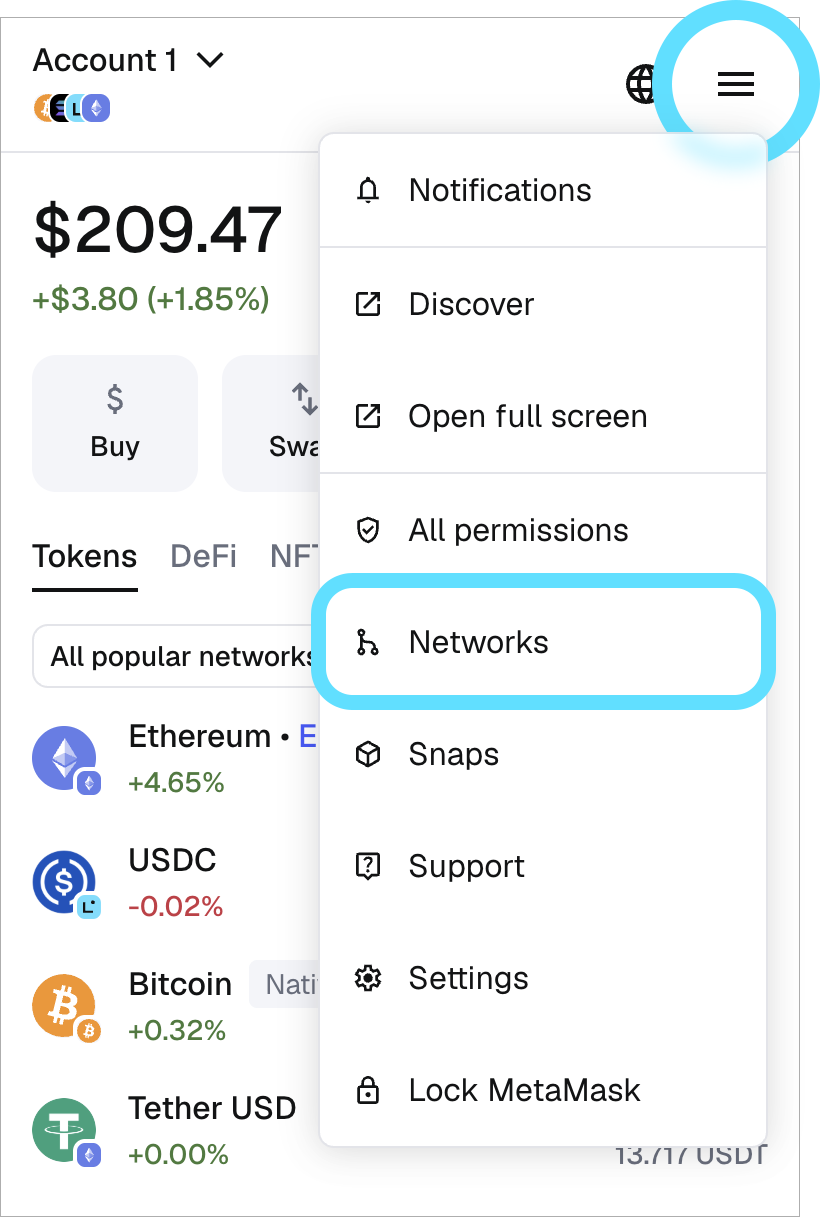
In the top-right dropdown menu, click here to see your available networks.
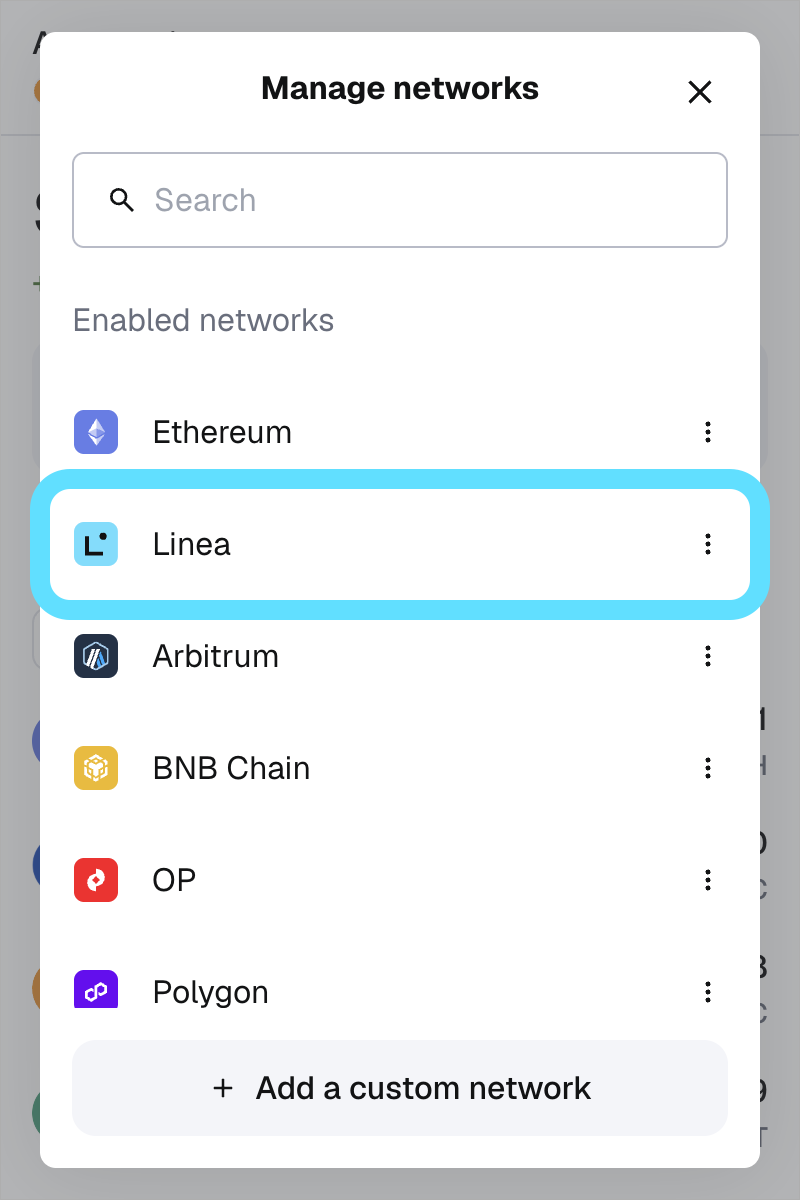
Select "Linea" to switch to Linea Mainnet.
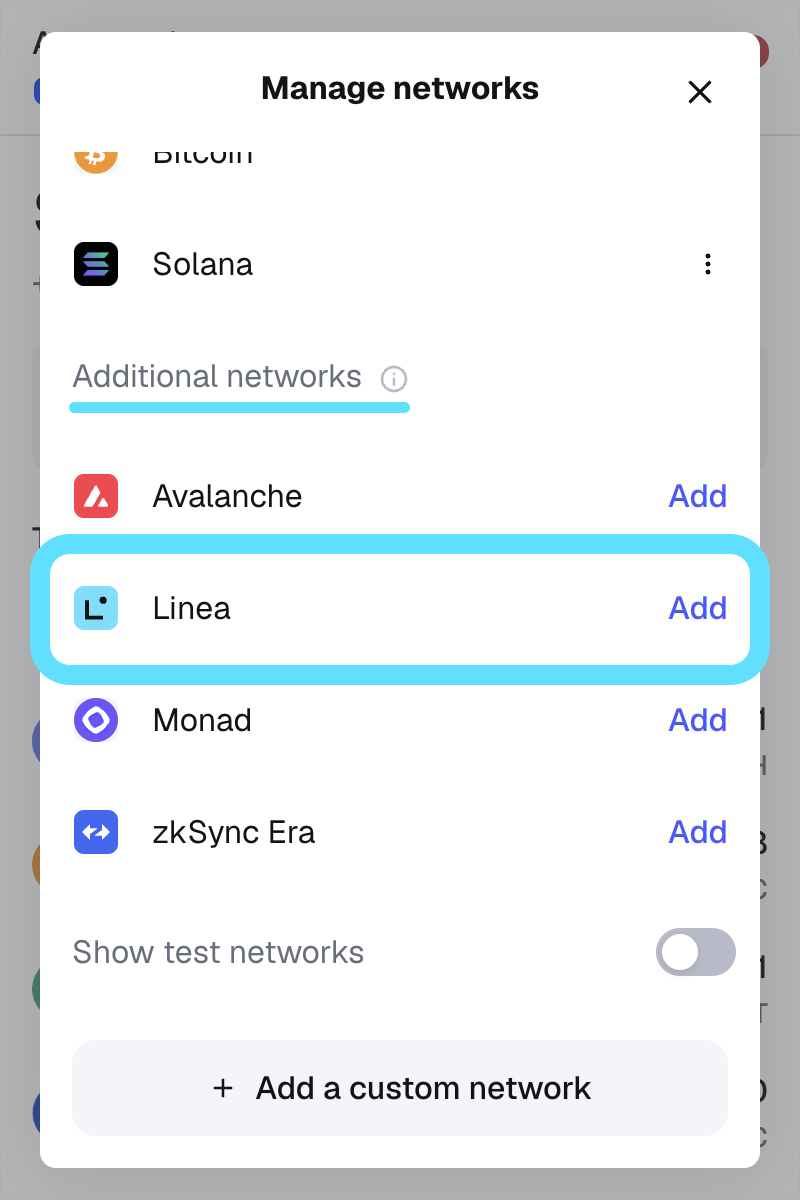
If you don't see Linea Mainnet in the "Enabled networks" list, scroll to the "Additional networks" section, and click "Add".
Linea Sepolia
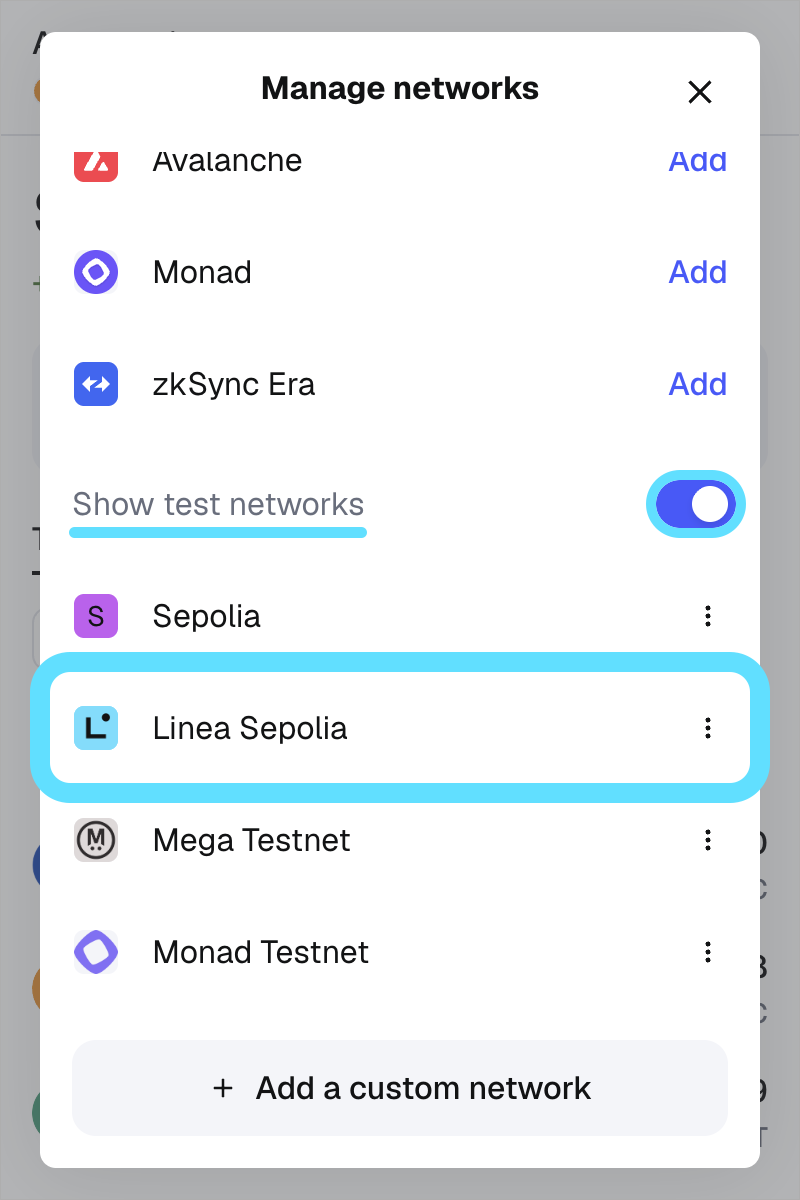
In the networks menu, scroll until you see the "Show test networks" toggle. If it's off, switch it on; you should see Linea Sepolia in the list. Select it to get started.
Linea Mainnet
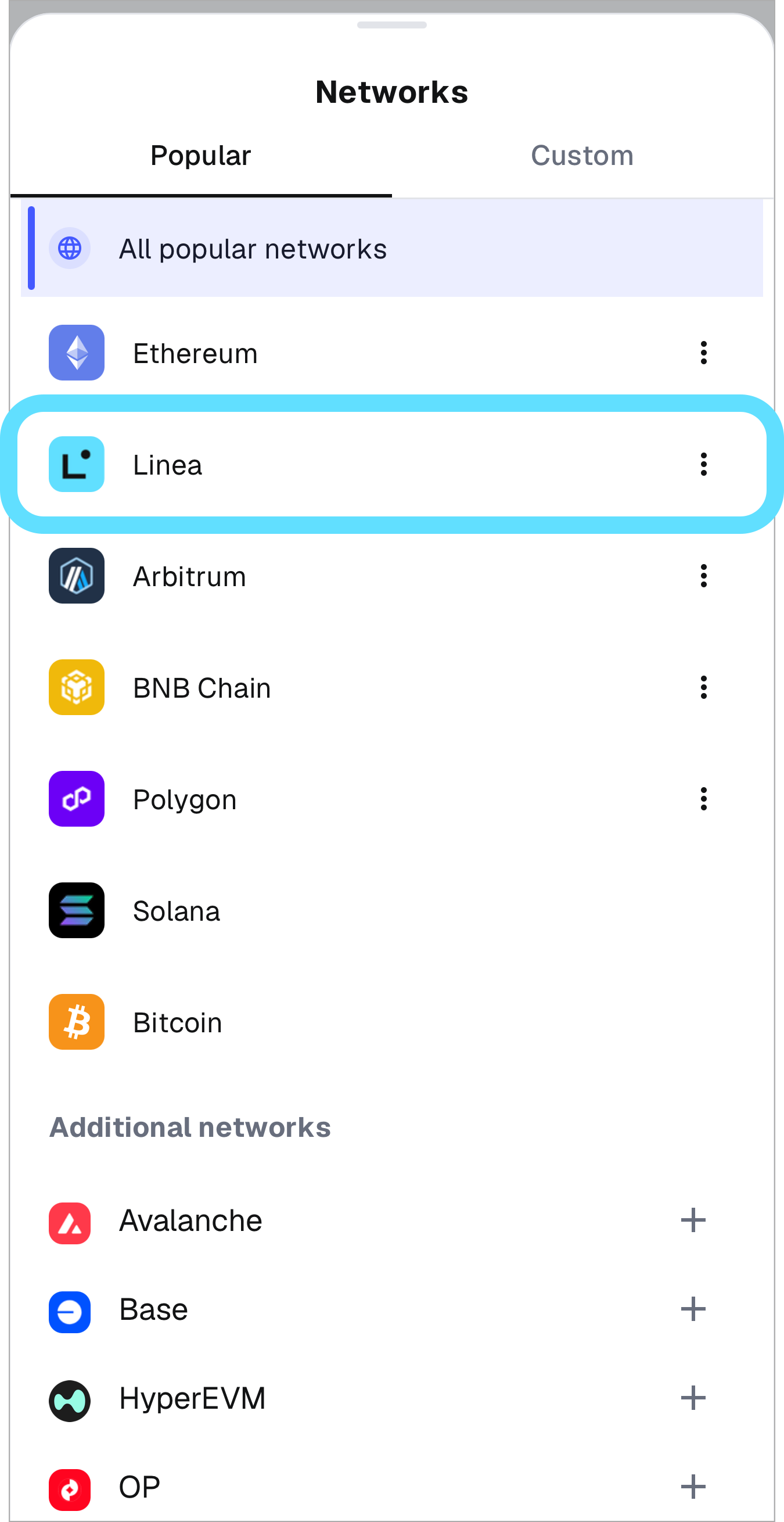
Find the network selector at the top of the "Tokens" tab. Tap it to open the networks menu.
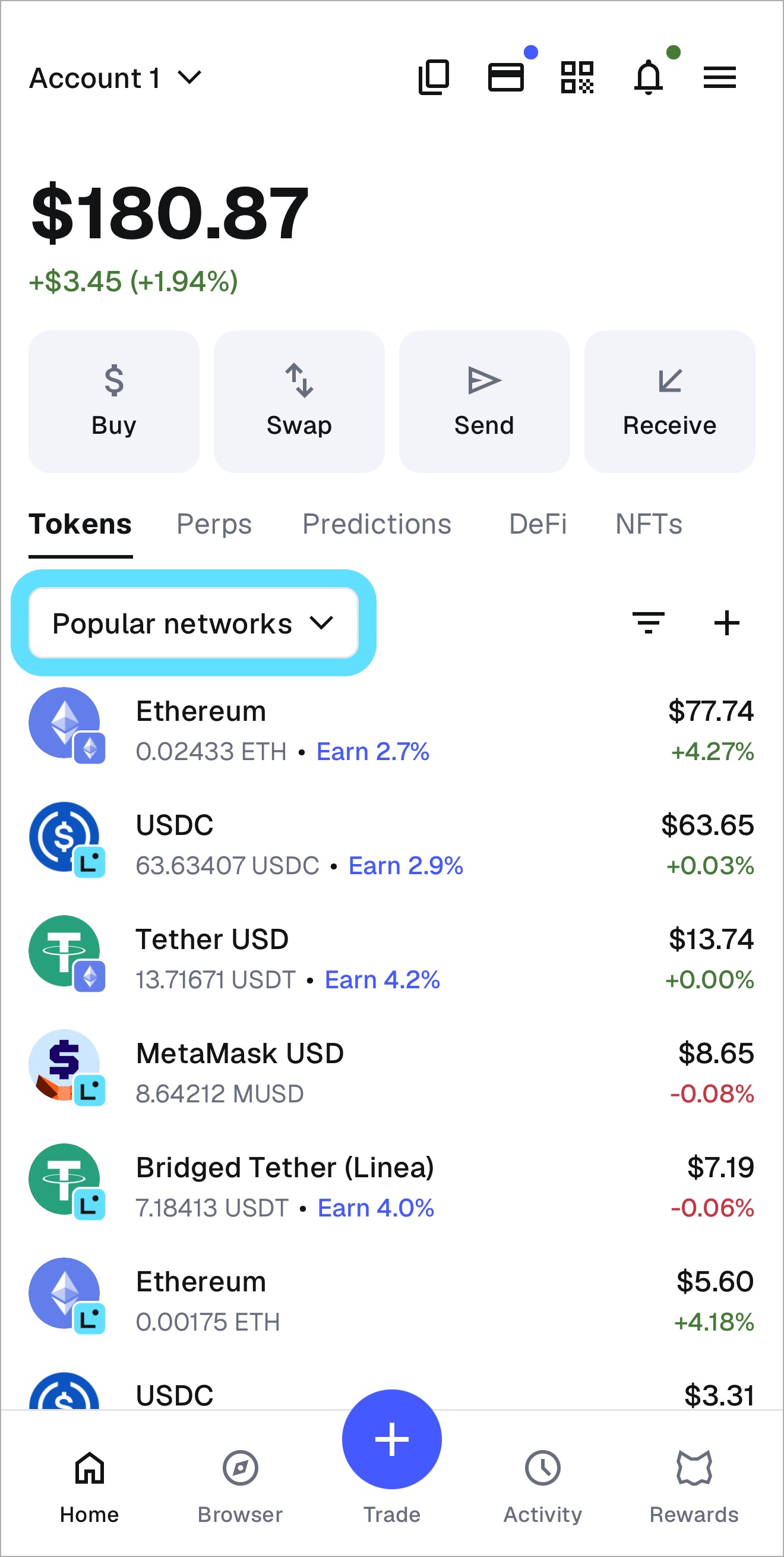
Select "Linea" to switch to Linea Mainnet.
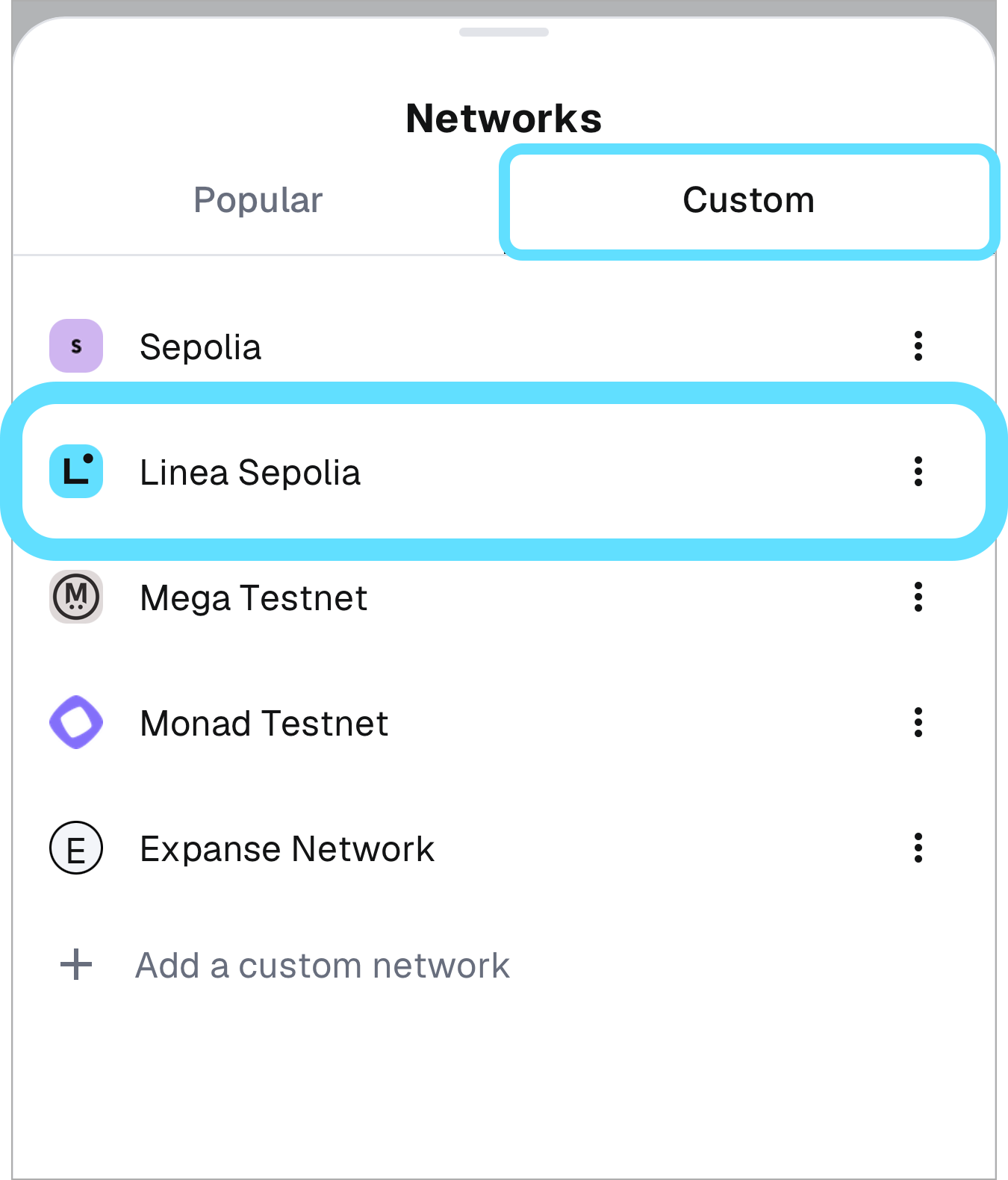
Linea Sepolia
From the networks list, tap the "Custom" tab to view test networks. Select Linea Sepolia to get started.
See the MetaMask support article for further information.
Custom RPC endpoint
You can configure MetaMask to connect to Linea Mainnet or Linea Sepolia with any RPC endpoint.
Refer to the MetaMask Support site for instructions on how to add RPC endpoints. You can find most networks and add them easily on Chainlist.